



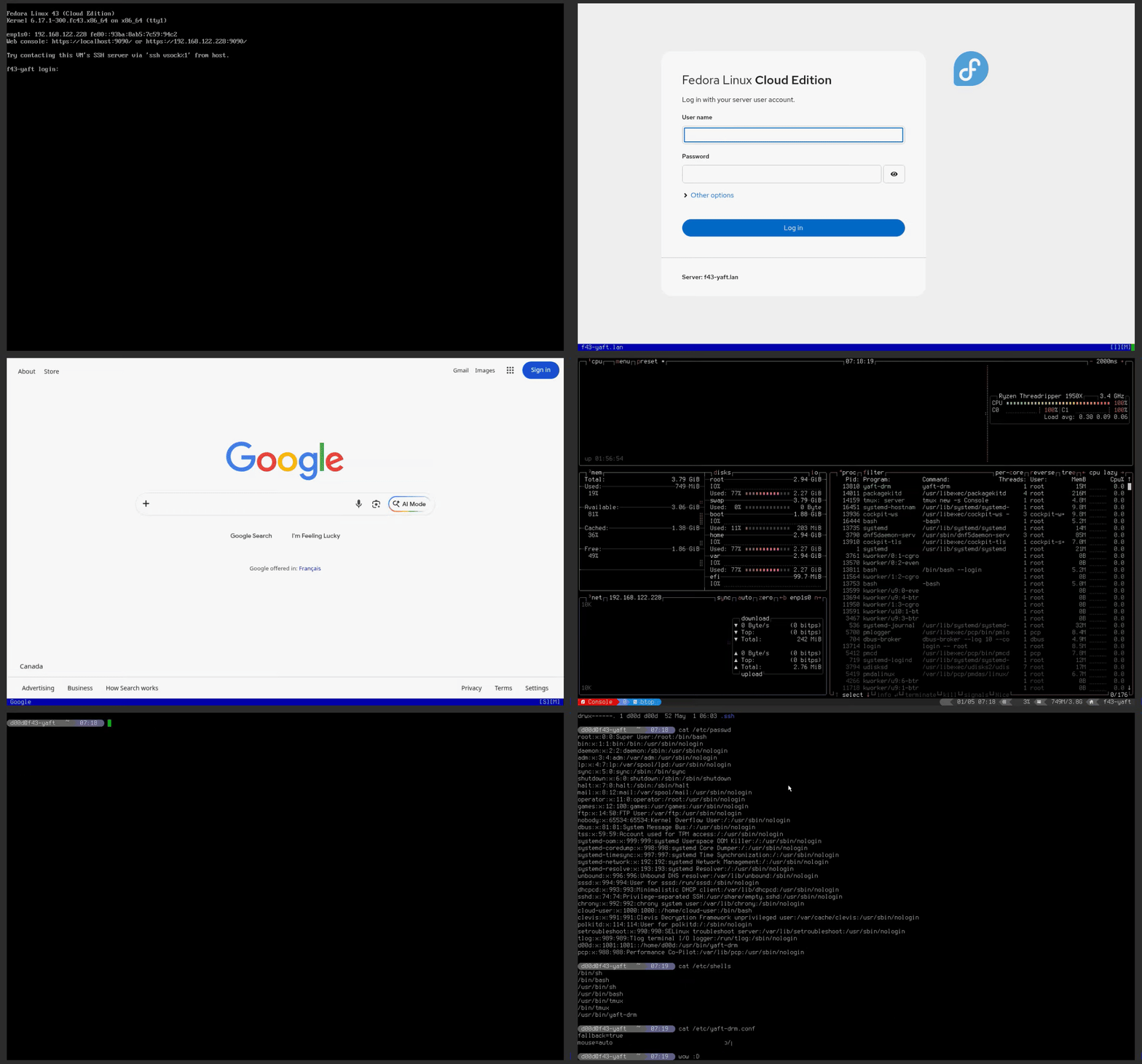
yaft-drm is a DRM/KMS fork of yaft, the compact framebuffer terminal. It keeps the console-terminal idea alive on modern Linux systems where the legacy /dev/fb0 device has been removed.
The project replaces the fbdev backend with DRM dumb buffers and adds the pieces expected from a practical server-console terminal: Sixel graphics, mouse reporting, adaptive cursor rendering, command launch, resolution selection, login-shell fallback, and clean console recovery.
Why This Exists
Fedora 43, RHEL 10, and other modern Linux platforms are moving away from the legacy framebuffer character device. That breaks terminal emulators built directly on /dev/fb0, even though server operators still need a capable terminal on physical, virtual, and remote-management consoles.
yaft-drm moves that terminal surface to DRM/KMS so a machine can still offer a full-screen console experience without X11, Wayland, or a desktop stack.
What It Enables
| Console need | yaft-drm behavior |
|---|---|
| Modern display path | Uses /dev/dri/cardN and DRM dumb buffers instead of /dev/fb0. |
| Remote-management mouse | Supports evdev absolute input for iDRAC, iLO, IPMI, Pi-KVM, QEMU, and VMware consoles. |
| Graphical terminal apps | Renders Sixel graphics for tools such as brow6el. |
| tmux administration | Handles xterm SGR mouse reporting, powerline glyphs, status tabs, and clean DA behavior. |
| Login-shell deployment | Falls back to /bin/bash --login outside a real VT when configured as a user shell. |
| Console recovery | Restores signal, CRTC, and VT state on abnormal exit or normal shutdown. |
Start Here
For Fedora 43 or RHEL 10 and newer, use the COPR package path. It installs the DRM terminal, the legacy fbdev build, the shell-init helper, and the man page.
sudo dnf copr enable greg-at-redhat/brow6el
sudo dnf install yaft
Run the terminal directly, select a resolution, or launch straight into an application:
yaft-drm
yaft-drm --res 1920x1080
yaft-drm -c "brow6el https://example.com"
yaft-drm -c "tmux new -s Console"
Use Cases
Terminal Browser on the Console
Run a Chromium-based terminal browser with Sixel graphics directly on a server console, with no desktop session required.
Headless Server Administration
Use a full terminal with mouse support and Nerd Font glyph rendering over BMC/KVM, IPMI, Pi-KVM, Cockpit noVNC, or a VM console.
yaft-drm can also act as a console kiosk launcher. Because -c executes a command directly instead of starting an interactive shell first, a VT console can boot straight into a dedicated application such as tmux, brow6el, a status dashboard, or another fixed-purpose terminal UI.
yaft-drm -c "tmux new -s Console"
yaft-drm -c "brow6el https://dashboard.example.com"
Login Shell
Use yaft-drm as a user login shell on VT consoles while preserving normal SSH behavior through automatic bash fallback.
Installation
Fedora 43 / RHEL 10+ COPR
sudo dnf copr enable greg-at-redhat/brow6el
sudo dnf install yaft
The package provides yaft-drm for DRM/KMS systems and yaft for kernels that still expose /dev/fb0.
Build from Source
sudo dnf install gcc make ncurses libdrm-devel
make yaft-drm
sudo install -m755 yaft-drm /usr/local/bin/yaft-drm
Login Shell Setup
sudo usermod -aG video,input username
sudo example-shell-init.sh --yaft-login
sudo chsh username -s /usr/bin/yaft-drm
When fallback=true is configured, SSH, tmux, scp, rsync, and other non-VT sessions continue into bash instead of trying to take over DRM.
Validated Console Targets
| Platform | Display path | Mouse path | Status |
|---|---|---|---|
| Dell PowerEdge iDRAC 8 | Matrox G200eR2 | Avocent USB absolute | Validated |
| Pi-KVM | USB HDMI capture | Pi-KVM HID absolute | Validated |
| JetKVM | USB HDMI capture | JetKVM HID absolute | Validated |
| KVM/QEMU | QXL / Virtio VGA | QEMU USB Tablet / VMware VMMouse | Validated |